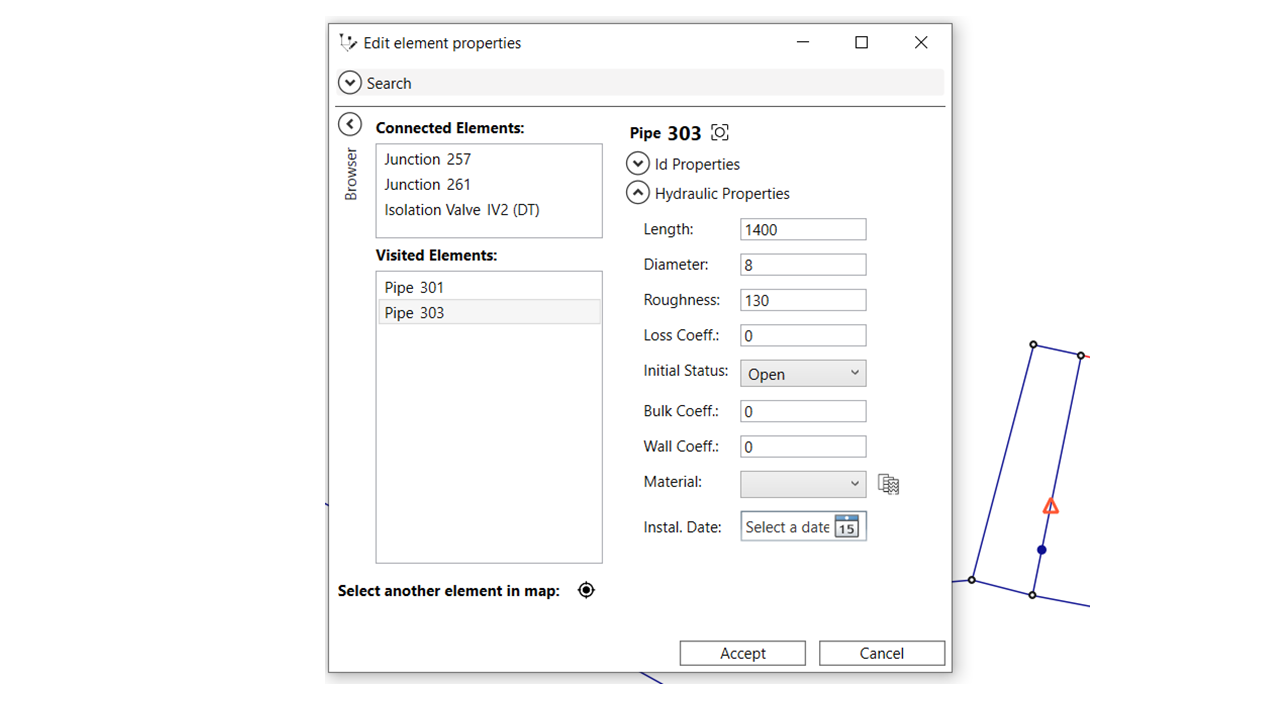
Improved Navigation from the Property Editor
The QGISRed Properties Editor enables users to modify element properties without pre-selecting corresponding layers, unlike QGIS's Info button. Users can click different network elements to update the window contents or search elements by ID without closing it.
A significant enhancement addresses previously missing functionality: the ability to browse related items without closing the window, and also to keep a list of recently visited items to return to them when needed. The spatial analysis identifies connections between pipes, nodes, valves, pumps, and other network components.
An important caveat: property changes remain unconsolidated until users close the Property Editor window by selecting Accept. Closing without accepting discards all modifications made since opening the window.