New Options in the Project Manager
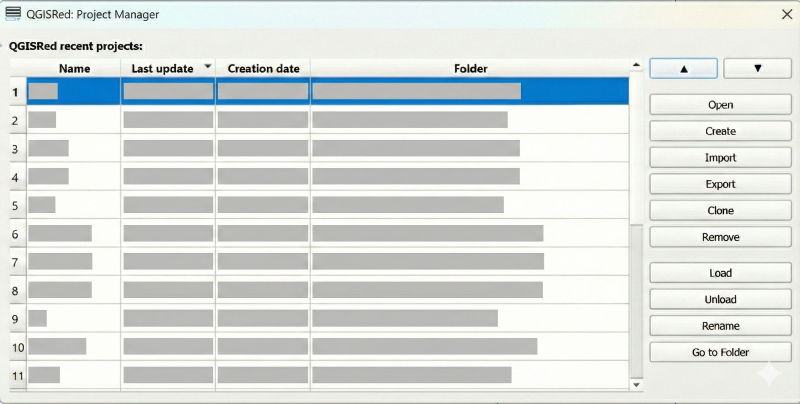
The QGISRed Project Manager is one of the most used tools by QGISRed users, as it easily allows switching between scenarios. Version 0.17 completes several much-requested options.
Users can now click on the header of any column in the project list table to sort in ascending or descending order. Additionally, arrow buttons enable moving selected projects up or down, with the new arrangement persisting after closing the dialog.
A rename function allows changing project names, which automatically updates associated data filenames. The Remove button enables complete deletion of projects from disk after confirmation.
Finally, it is now possible to export an entire QGISRed project into a compressed .zip file and then import it from another machine, greatly facilitating collaboration between users.